How VoIP(Voice over Internet Protocol) Works
If you’ve never heard of VoIP before, prepare to have your perspective on long-distance phone conversations shifted.
VoIP, or Voice over Internet Protocol, is a way of converting analogue audio signals, such as those heard when talking on the phone, into digital data that can be sent over the Internet.
What is the benefit of this? As a result, if you use some of the free VoIP software available to make Internet phone calls, you’ll be completely circumventing the phone company (and its expenses).
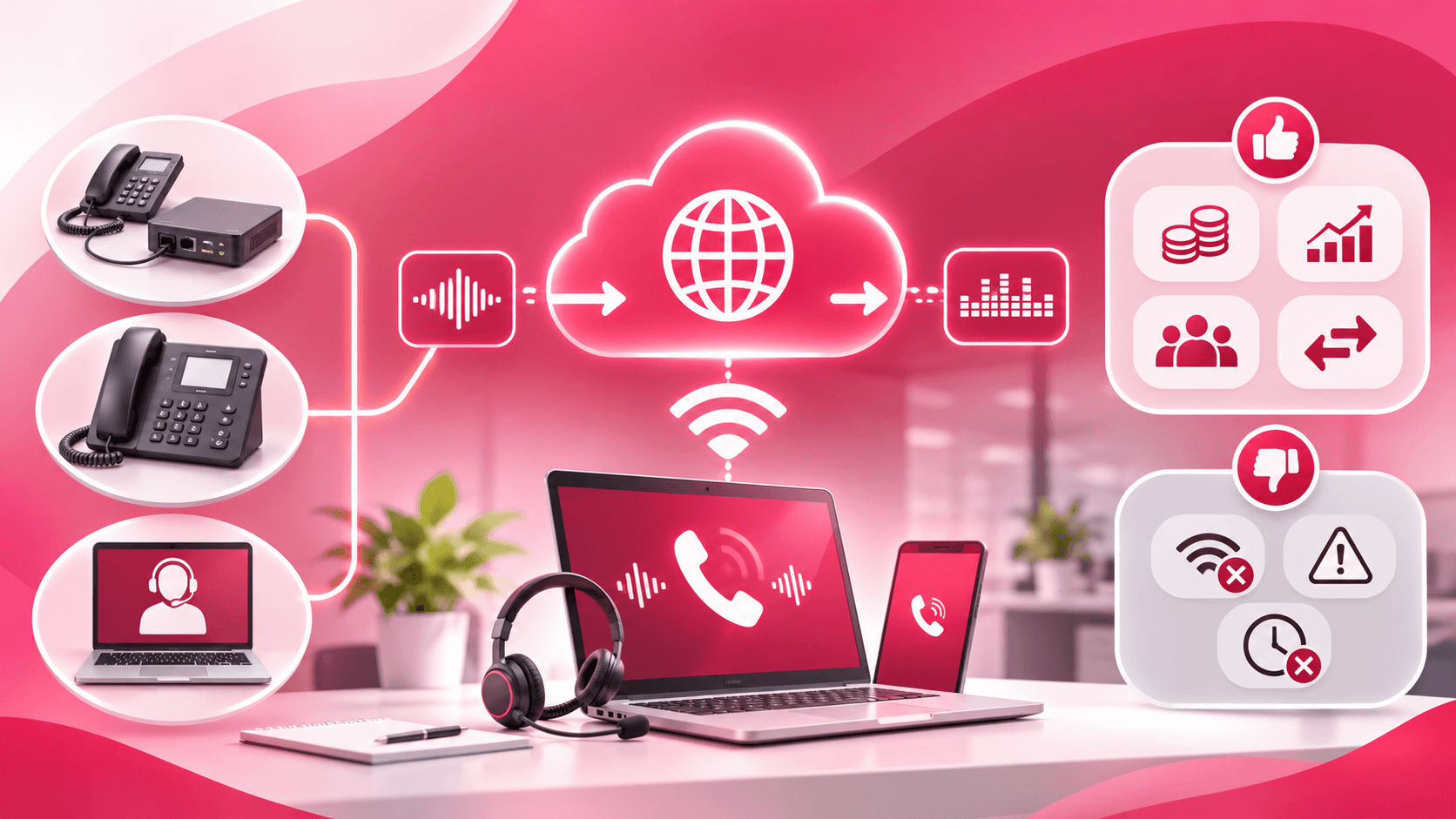
The wonderful thing about VoIP is that you can make a call in a variety of ways. Today, there are three distinct “flavours” of VoIP service in widespread use:
- ATA – The most straightforward and usual method is to use an ATA device (analog telephone adaptor). The ATA allows you to use VoIP by connecting a regular phone to your computer or Internet connection. The ATA is a digital-to-analog converter. It converts the analogue signal from your standard phone into digital data that may be transmitted over the Internet. SIPLINK Communications, for example, offers free ATAs as part of their service. Simply take the ATA out of the package, put the cord from your phone into the ATA instead of the wall socket, and you’re ready to make VoIP calls.
- IP Phones – These specialty phones have a handset, cradle, and buttons, much like regular phones. The IP phones, on the other hand, have an RJ-45 Ethernet connector instead of the typical RJ-11 phone connector. IP phones connect directly to your router and come equipped with all of the required hardware and software to conduct IP calls. Subscribers of Wi-Fi phones can make VoIP calls from any Wi-Fi hotspot.
- Computer-to-computer- This is without a doubt the most straightforward method of using VoIP. Long-distance calls are also free of charge. There are a number of companies that provide free or extremely low-cost software for this sort of VoIP. All you’ll need is the software, as well as a microphone, speakers, a sound card, and an Internet connection, preferably one that’s as fast as a cable or DSL modem. There is normally no payment for computer-to-computer conversations, regardless of distance, except from your regular monthly ISP fee.
Advantages of Using VoIP:
To provide phone service, VoIP technology makes use of the Internet’s packet-switching capabilities. Compared to circuit switching, VoIP provides in India a number of advantages. In a circuit-switched network, packet switching, for example, allows numerous telephone calls to share the same amount of space as one. That 10-minute phone call we mentioned previously took 10 minutes of transmission time on the PSTN at a rate of 128 Kbps.
That identical call might have taken only 3.5 minutes of transmission time at a cost of 64 Kbps. A leaving another 64 Kbps free for those 3.5 minutes, plus an additional 128 Kbps for the remaining 6.5 minutes. If VoIP had been used. According to this basic calculation, three or four additional calls may readily fit into the area occupied by a single call in the existing system. And this example ignores the use of data compression, which decreases the size of each call even more.
Disadvantages of Using VoIP:
The modern Public Switched Telephone Network (PSTN) is a reliable and nearly bulletproof system for making and receiving phone calls. We’ve all become accustomed to the fact that phones simply function. Computers, e-mail, and other connected technology, on the other hand, are still a little shaky. Let’s face it: when their e-mail goes down for 30 minutes, few people panic. A half-hour of no dial tone, on the other hand, can easily drive folks into a panic. So, whatever inefficiency the PSTN may have, it more than makes up for in dependability. However, the Internet’s network is significantly more complex, and as a result, it operates with a far larger margin of error. All of this adds up to one of VoIP’s key flaws: reliability.